The changelog is where your users find out the API changed. For most of them it’s the only place, because nobody rereads the reference pages to look for differences.
So it’s a shame how many entries look like this:
October 13
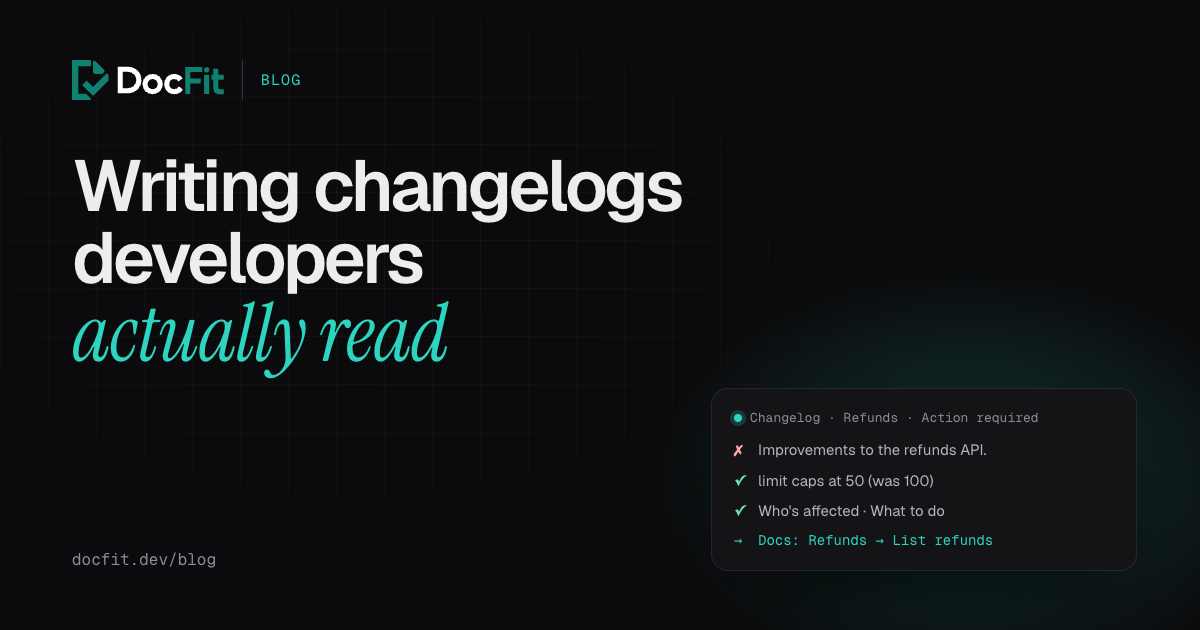
- Improvements to the refunds API.
That entry is true, and useless. A developer reading it can’t tell whether anything they built is affected, what to change, or by when. The useful version of the same change is a few lines longer:
October 13 · Refunds · Action required for some integrations

Refund lists now hold at most 50 refunds per page
GET /v2/refunds caps `limit` at 50 (was 100). Requests for more return 50,
with no error. The default stays 20.

Who's affected: integrations that pass limit greater than 50 and expect
that many results, for example to read a fixed number of pages.
What to do: page with `starting_after` until a page returns fewer results
than requested, instead of assuming a page size.

Also new: filter refunds by `reason` (duplicate, fraudulent,
requested_by_customer).

Docs: Refunds → List refunds
That’s the real change from our example repository, the same one our posts on docs drift and quiet breaking changes use. Here’s what makes the second version work, and what the best public changelogs do.
Six questions every entry answers
- What changed, exactly? Name the endpoint, parameter, field or event, and give the old and new values. “Improved pagination” isn’t a change anyone can act on. “
limitnow caps at 50 (was 100)” is. - Is it breaking, or does it need action? Label it, the same way every time, so people can scan for it.
- Who’s affected, and who isn’t? Most readers are looking for permission to stop reading. Give it to them.
- What do I do? The exact fix: the new parameter, the new value, the code to change.
- By when? For anything that ends: when it was deprecated, when it stops working, and any planned outages before then.
- Where are the docs? A link to the updated section, not the docs homepage.
What the best changelogs do
Every example below was checked against the live changelog in October 2026.
Shopify gives every entry the same shape. Each post on the Shopify developer changelog shows its date, the API version it applies to, the affected APIs and flags such as “Action required”, “Breaking” or “Deprecation announcement”. The body follows the same four headings: what changed, who’s affected, what to do, related docs. A recent example, an owner_type field for metafield declarations, says who isn’t affected as well as who is, and gives numbered migration steps. The changelog can also be filtered by version and change type, and has an RSS feed.
Stripe explains why something is breaking. Stripe’s changelog is organised by API version, and each breaking entry has its own sections for why the change is breaking, its impact, the exact parameters added and removed in each SDK, and upgrade steps. Every parameter links to the API reference for that exact version. Signed-in users can filter the changelog to changes that touch APIs their own account has called recently, which is a neat answer to “does this affect me?”.
GitHub schedules the pain in advance. When GitHub retired a macOS runner image, the changelog entry gave the retirement date, the affected labels, a list of planned brownout windows (short periods when jobs fail on purpose, so teams notice before the real date) and a “what you need to do” section with the replacement labels.
Vercel answers the follow-up questions. Vercel’s Node.js 20 deprecation entry gave about eleven weeks’ notice and is written as questions: how to see which projects are affected (with the CLI command), whether existing deployments are affected (they aren’t), what happens on the date, and what to do if you can’t upgrade in time.
Twilio says who needs to act. A Voice changelog entry about a changed default on the conference list endpoint names the old and new behaviour, says who needs to act, and gives the exact query parameter that restores the old results.
Cloudflare keeps deprecations in their own log. Alongside its main changelog, which has an RSS feed per product, Cloudflare keeps a separate page of API deprecations, each with a deprecation date, an end-of-life date and the replacement endpoints. When an end-of-life date moves, the entry says so.
A template you can copy
[Date] · [Product or area] · [Breaking | Action required | Deprecation | New]

[What changed, in one specific sentence]
[The exact before and after: endpoint, parameter, field, value]

Who's affected: [who, and who isn't]
What to do: [the exact fix, or "nothing"]
When: [effective date; for removals, the deprecation and end-of-life dates]

Docs: [link to the updated section]
Not every entry needs every line. A new optional field needs the first two lines and a docs link. A removal needs all of them.
Make it easy to follow
A good entry nobody sees doesn’t help. A few things make a changelog easy to follow:
- An RSS or Atom feed, and ideally one per product, so people can follow the part of the API they use. Shopify, GitHub and Cloudflare all have feeds, and GitHub and Cloudflare offer them per area.
- Filters by type, so “show me only breaking changes” is one click.
- A Markdown version of each entry. Stripe and Cloudflare serve one. Coding agents increasingly read docs directly, and the changelog is where they’d find out an API changed.
- Headers in the API itself. For anything you’re retiring, send the HTTP
Deprecationheader (RFC 9745) and theSunsetheader (RFC 8594) on the affected responses, with a link to the changelog entry:
Deprecation: @1790812800
Sunset: Thu, 31 Dec 2026 23:59:59 GMT
Link: <https://docs.example.com/changelog/refunds-v1-sunset>; rel="deprecation"; type="text/html"
Deprecation takes a Unix timestamp prefixed with @ (here, October 1, 2026); Sunset takes an HTTP date, and must not be earlier than the deprecation. A client library or an API gateway can log a warning when it sees them, which reaches developers who never read the changelog.
For libraries and SDKs: a CHANGELOG.md
For code people install, the changelog usually lives in the repository. Keep a Changelog is the common format: newest version first, a date on every release, and changes grouped as Added, Changed, Deprecated, Removed, Fixed and Security. Common Changelog is a stricter variant: it marks breaking changes with a bold “Breaking:” prefix, lists them first, and requires each change to reference the commit or pull request behind it. That last rule is a good one whichever format you use, because the pull request is where the details live.
The changelog and the docs have to agree
A changelog entry is a promise that the docs now say the same thing. Often they don’t: the entry goes out the day the change ships, and the docs page catches up a week later, or never. Readers follow the link from the entry and find the old behaviour described. Now they don’t know which one to trust.
Three habits help:
- Update the docs before the entry goes out, and link the entry to the exact section that changed.
- Write the entry from the pull request, not from memory. The description, the ticket and the review usually say who’s affected and why, which is half the entry already.
- Check the docs page against the entry. If the entry says “caps at 50”, search the docs for “100”.
The first two are where DocFit helps. When a pull request merges, DocFit opens a docs pull request that updates the affected pages and lists each page it changed with the reason, worked out from the code change and its ticket. That list is most of the “what changed” and “docs” lines of your changelog entry, and once it’s merged, the section you link to already describes the new behaviour.
See how DocFit works, or start free below and see what your last few merged pull requests should have changed in your docs.