Everyone documents the big changes. A new endpoint gets a page, a removed one gets a migration guide and a changelog entry.
The changes that hurt are the small ones. A limit goes down. An enum gains a value. A default changes. They pass code review because the code is fine, and they often don’t count as “breaking” by the API’s own rules. But the docs now say something that isn’t true, and the first person to find out is a customer.
This is a field guide to those changes: what each one looks like, where it hides in your docs, and how to catch it.
Breaking for whom?
API teams classify changes by whether they break existing clients. GitHub’s REST API documentation is a good, public example. It lists as breaking things like removing a parameter, changing a field’s type, removing enum values, and “adding a new validation rule to an existing parameter”. It lists as additive, and safe, things like adding a response field, adding an optional parameter, and adding enum values.
That’s a reasonable contract for clients. It’s the wrong question for docs. Every one of those additive changes makes a docs page incomplete, and a page that lists four statuses when the API now returns five is wrong, whatever the versioning policy calls it.
Tools don’t agree either. Run the open-source oasdiff on a spec that adds an enum value to a response, and it reports an error: “a client written against it may not handle the response”. The same tool reports a changed default as info. So the label on a change tells you little about whether the docs need work.
Seven quiet changes
1. A lower limit
What changes: a maximum goes down: page size, request body size, string length, items per batch.
Example: in this pull request, the refund list’s maximum page size dropped from 100 to 50. The code caps larger values instead of rejecting them, so nothing errors. Clients asking for 100 just get 50.
Where it hides: the parameter table, the pagination guide, and code examples that pass limit=100. In this case the docs page didn’t mention a page size at all, so there was no old number for anyone to spot.
2. A new enum value
What changes: a status, type or reason gains a value: requires_action joins pending, succeeded and failed.
Where it hides: status tables, state diagrams, “possible values” lists, and above all code examples with a switch or if/else over the values. Those examples now have no branch for the new one, and readers copy them as they are.
3. A changed default
What changes: an omitted parameter means something different: a default page size of 20 becomes 10, a default sort order flips, a default currency changes.
Where it hides: prose (“returns 20 results per page”), quickstarts, and every example that leaves the parameter out. Defaults are easy to miss in review because the diff is one number in a config file or a constant.
4. A new error
What changes: an endpoint can fail in a new way: a 409 when a refund can’t be cancelled any more, a new 422 validation error, a new error code in the body.
Where it hides: the errors reference, troubleshooting guides, and the error-handling part of every integration guide. New errors often aren’t in the OpenAPI spec at all, only in the code, so a spec diff won’t see them.
5. A webhook change
What changes: a new event type, a new field in a payload, a field that’s now sometimes missing.
Where it hides: the events reference, payload examples, and the “verify and handle webhooks” guide. Webhooks are often documented by hand, outside the spec, which makes them the easiest place for drift to start.
6. A deprecation
What changes: a parameter, field or endpoint is marked deprecated and something else replaces it.
Where it hides: the old name keeps appearing in quickstarts, tutorials and examples long after the reference page shows a “deprecated” badge. New users copy the deprecated pattern because it’s what the guide shows them.
7. A behaviour change with no spec change
What changes: the shape of the API stays the same and the behaviour doesn’t: results come back in a different order, a rate limit tightens, an idempotency window shrinks, retries happen on a new schedule.
Where it hides: in prose only. No schema, no parameter, nothing a tool can diff. The only record of the change is the pull request description and the ticket behind it.
How to catch them
Diff the spec on every pull request
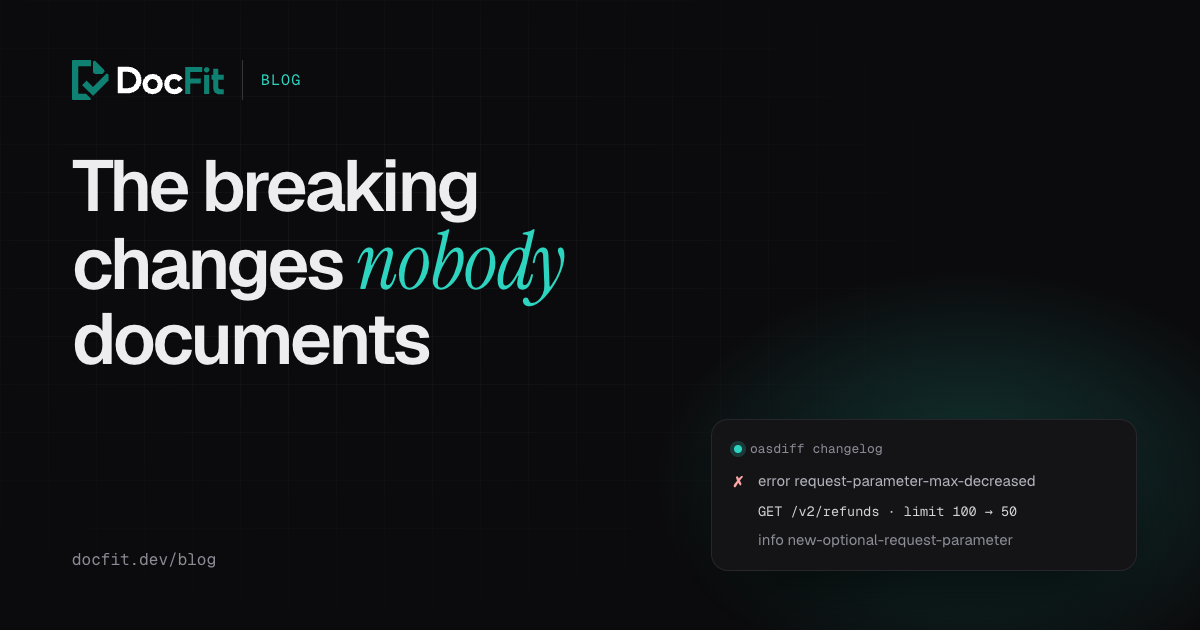
If your API has an OpenAPI spec, diff it on every pull request that touches it. Here’s what oasdiff reports for the real change from example 1:
$ oasdiff changelog base.yaml head.yaml
2 changes: 1 error, 0 warning, 1 info
error	[request-parameter-max-decreased] at head.yaml
	in API GET /v2/refunds
		for the `query` request parameter `limit`, the max was decreased from `100.00` to `50.00`

info	[new-optional-request-parameter] at head.yaml
	in API GET /v2/refunds
		added the new optional `query` request parameter `reason`
Both lines are docs work: one quiet change and one new feature. Read every line of that output as a to-do for the docs, not only the errors.
A GitHub Actions workflow that fails the pull request on breaking changes:
name: API changes

on:
  pull_request:
    paths:
      - "openapi/**"

permissions:
  contents: read

jobs:
  oasdiff:
    runs-on: ubuntu-latest
    steps:
      - uses: actions/checkout@v7
      - run: git fetch --depth=1 origin ${{ github.base_ref }}
      - uses: oasdiff/oasdiff-action/breaking@v0
        with:
          base: origin/${{ github.base_ref }}:openapi/openapi.yaml
          revision: HEAD:openapi/openapi.yaml
          fail-on: ERR
          review: false
review: false keeps your spec in CI. By default, the action uploads an encrypted copy of both specs to oasdiff.com for a side-by-side review link. The workflow passes actionlint, and the CLI output above is from oasdiff 1.34.
Search the docs for every name that changed
A spec diff tells you what changed. It doesn’t tell you which pages mention it. For that, search the docs for each changed name:
grep -rn "limit" docs/
grep -rn "failure_reason" docs/
It’s crude and it works. The page you didn’t think of usually turns up.
Read the pull request, not just the diff
Changes 4, 5 and 7 often never touch the spec. They’re in the pull request description (“a page now holds at most 50 refunds”) and in the ticket that asked for the change. If your team writes good PR descriptions, the docs work is already spelled out; someone just has to read them with the docs in mind.
Fix the examples first
When you find a quiet change, update the code examples before the prose. Readers, and increasingly AI coding agents, copy examples without reading the paragraph above them. An example with limit=100 or a switch with no case for the new status is the version of the mistake that ends up in production.
Doing it on every merge
All of the above works. The hard part is doing it for every pull request, including the small ones, because the small ones are where these changes come from.
That’s the routine DocFit runs on each merged pull request: an OpenAPI diff of the changed operations, the names from the code diff (routes, enums, environment variables, CLI flags) matched against every docs page, and the pull request description and linked ticket read for the changes no diff can see. For the page-size change above, DocFit opened a docs pull request that documented limit with its new maximum on the refunds page, a page that had never mentioned a limit before.
See how DocFit works, or start free below and see which quiet changes it would have caught in your last few merged pull requests.