Code examples are the most-read part of most API docs. They’re also the least tested. Reference tables get generated from the spec, prose gets reviewed, and examples get pasted in once and never run again.
Readers copy them anyway, and so do AI coding agents. When an example is wrong, the first person to find out is someone integrating your API.
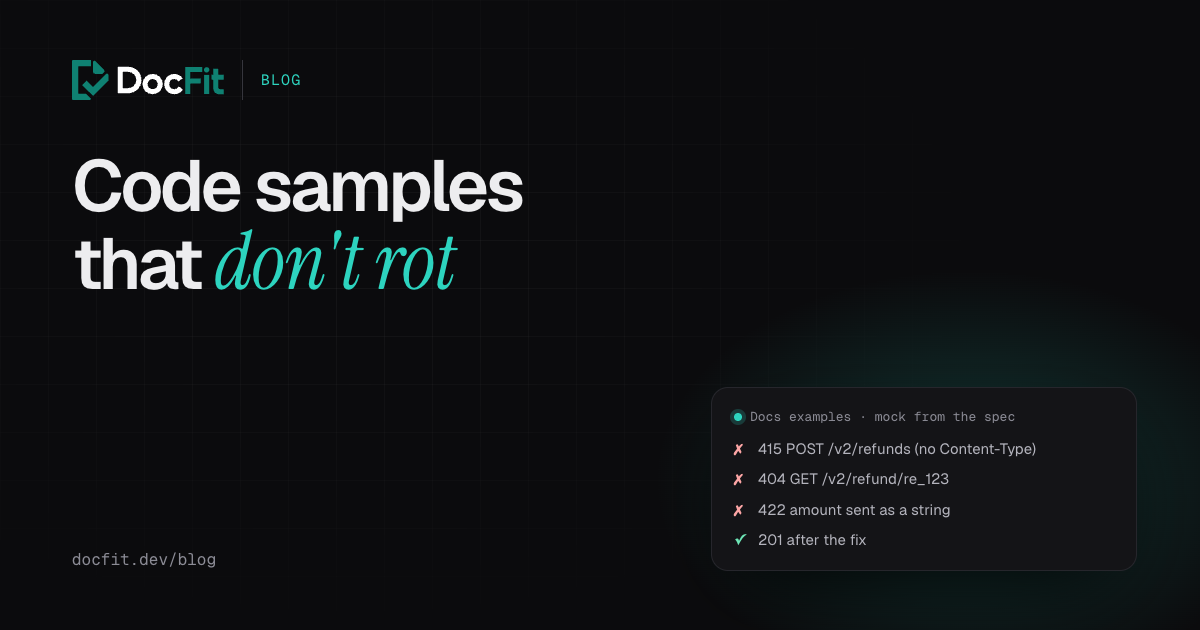
When we audited our own example docs, the one curl example on the refunds page failed: it sent JSON without a Content-Type header, and a mock of our API answered 415 Unsupported Media Type. Nobody had noticed, because nobody had run it.
This guide makes sure that can’t happen silently: every curl example in the docs runs against a mock of your API on every pull request, and the build fails when one breaks.
How it works
You don’t need a test account or a staging API. You need your OpenAPI spec and Prism, which turns the spec into a mock server:
npx --yes @stoplight/prism-cli@5 mock openapi/spec.yaml --port 4010The mock checks every request against the spec: the path exists, the method is allowed, the headers and content type are right, the body has the right fields and types. A request that passes gets a response shaped like the spec says. A request that doesn’t gets a 4xx explaining why.
That’s exactly what an example needs to prove: that a reader who copies it sends a request your API accepts.
The script
test-examples.sh finds every bash, sh or shell code block that calls curl in your Markdown and MDX files, swaps your API’s host for the mock’s, runs it, and checks the status code:
#!/usr/bin/env bash
# Usage: test-examples.sh docs-folder mock-url
# Runs every ```bash code block that calls curl against the mock server and fails
# if any request gets an error status. The docs' host is swapped for the mock.
set -uo pipefail
docs="$1"; mock="$2"
host="https://api.example.com"   # the base URL your examples use
export API_KEY="test"
failed=0; n=0

# Each block runs with curl wrapped to print only the status code.
run_block() {
  local file="$1" block="$2" status
  status=$(
    curl() { command curl -s -o /dev/null -w '%{http_code}' "$@"; }
    eval "${block//$host/$mock}"
  )
  n=$((n + 1))
  if [[ "$status" =~ ^[23] ]]; then
    echo "ok    $status  $file"
  else
    echo "FAIL  $status  $file"
    echo "$block" | sed 's/^/        /'
    failed=$((failed + 1))
  fi
}

while IFS= read -r -d '' file; do
  block=""; inside=0
  while IFS= read -r line || [[ -n "$line" ]]; do
    if [[ $inside -eq 0 && "$line" =~ ^\`\`\`(bash|sh|shell)[[:space:]]*$ ]]; then inside=1; block=""; continue; fi
    if [[ $inside -eq 1 && "$line" =~ ^\`\`\`[[:space:]]*$ ]]; then
      inside=0
      [[ "$block" == *curl* ]] && run_block "$file" "$block"
      continue
    fi
    [[ $inside -eq 1 ]] && block+="$line"$'\n'
  done < "$file"
done < <(find "$docs" \( -name '*.md' -o -name '*.mdx' \) -print0 | sort -z)

echo "$n examples, $failed failed"
[[ $failed -eq 0 ]]
Commit it executable (chmod +x test-examples.sh) and set host to the base URL your examples use. The examples run as written, with $API_KEY set to a dummy value, so they need no changes to be testable.
The script runs the code in your docs, so only point it at docs from your own repository, the same trust you already give your build.
What it catches
On the example docs, as they are today:
$ ./test-examples.sh docs http://127.0.0.1:4010
FAIL  415  docs/payments/refunds.mdx
        curl -X POST https://api.example.com/v2/refunds \
          -H "Authorization: Bearer $API_KEY" \
          -d '{"payment_id": "pay_123", "amount": 500}'

1 examples, 1 failed
Add -H "Content-Type: application/json" and it passes with 201. To see what else it finds, we added three more examples to a copy of the docs: one correct, one with a typo in the path, and one sending the amount as a string instead of an integer:
ok    200  docs/payments/extra.mdx
FAIL  404  docs/payments/extra.mdx
        curl https://api.example.com/v2/refund/re_123 \
          -H "Authorization: Bearer $API_KEY"

FAIL  422  docs/payments/extra.mdx
        curl -X POST https://api.example.com/v2/refunds \
          -H "Authorization: Bearer $API_KEY" \
          -H "Content-Type: application/json" \
          -d '{"payment_id": "pay_123", "amount": "5.00"}'

ok    201  docs/payments/refunds.mdx
4 examples, 2 failed
A missing header, a path that doesn’t exist and a field with the wrong type: three of the most common ways examples go wrong, and all three get past a human reviewer easily.
Run it on every pull request
.github/workflows/docs-examples.yml starts the mock and runs the script whenever the docs or the spec change:
name: Docs examples

on:
  pull_request:
    paths:
      - "docs/**"
      - "openapi/**"
      - "test-examples.sh"

permissions:
  contents: read

jobs:
  examples:
    runs-on: ubuntu-latest
    steps:
      - uses: actions/checkout@v7
      - uses: actions/setup-node@v7
        with:
          node-version: 24

      - name: Start a mock API from the spec
        run: |
          npx --yes @stoplight/prism-cli@5 mock openapi/spec.yaml --port 4010 > prism.log 2>&1 &
          for _ in $(seq 1 30); do
            curl -s -o /dev/null http://127.0.0.1:4010 && exit 0
            sleep 2
          done
          cat prism.log
          exit 1

      - name: Run every curl example in the docs
        run: ./test-examples.sh docs http://127.0.0.1:4010
The workflow passes actionlint, and the output above is from running the same script against Prism 5 on our example docs. It runs on spec changes too, on purpose: when someone changes the API, the examples written for the old one fail on that pull request, instead of in a customer’s terminal.
If your docs live in a separate repository from your spec, check out the spec repository as a second step and point Prism at it.
What a mock can’t tell you
A mock checks the shape of a request, not what your API does with it. It won’t catch:
- Business rules. A refund larger than the payment passes the mock and fails in production.
- Examples that depend on each other. “Create a refund, then cancel it” needs the ID from the first response; a mock returns example data, not a real ID.
- Behaviour the spec doesn’t describe. If the spec is wrong, the mock agrees with it. When our audit found
ending_beforedocumented but missing from the spec, a mock would have rejected a correct example.
For those, run the same script against a sandbox or staging environment as a second job, with a real test key from your CI secrets. Keep the mock job as the required check, because it’s fast, free and never flaky.
Beyond curl
The same idea works for JavaScript, Python or any other language: extract the code blocks, point them at the mock and run them. Two things make that easier:
- Read the base URL from the environment in your examples, or keep it in one variable at the top, so a test can swap it without editing the code.
- Keep each example complete. Imports, the client setup and the call. An example that only works with lines from a previous block can’t be run on its own, and readers copy it on its own too.
When the examples change with the code
A test like this tells you an example broke. It doesn’t fix it, and examples usually break because the API changed in a pull request that never touched the docs.
That’s the part DocFit handles. When a code pull request merges, DocFit updates the docs pages it affects, including their examples, and checks the result before you see it. On the Team plan that includes running curl, JavaScript, Python and PHP samples against a mock built from your OpenAPI spec; on Growth, against your own sandbox. Then it opens a docs pull request, and the workflow from this guide runs on it like any other.
See how DocFit works, or start free below and see what your last few merged pull requests should have changed in your docs.