Docs drift doesn’t announce itself. Nobody files a ticket saying “the refunds page has been wrong since March”. It builds up one merge at a time until a customer, or an AI agent writing their integration, trips over it.
You can’t fix what you haven’t found, so start with an audit. This one takes an afternoon, needs only a terminal, and works on any docs site with an OpenAPI spec behind it.
We ran every step below on our public example repositories, example-payments-api and example-payments-docs, a small refunds API documented in Mintlify. The output is real. And the audit found real problems, including on pages DocFit had already updated, for a reason we’ll come back to.
What you need
- Your OpenAPI spec and your docs folder, checked out side by side.
jq, Node.js (fornpx), oasdiff and the GitHub CLI,gh.- About four hours:
| Step | Time | Finds |
|---|---|---|
| 1. Spec names missing from the docs | 30 min | Undocumented endpoints, parameters, values, fields |
| 2. Docs names missing from the spec | 20 min | A spec that’s behind the code, or docs that invented something |
| 3. What the code does that neither says | 20 min | Undocumented events, headers, errors |
| 4. Run the examples | 40 min | Examples that don’t work |
| 5. What changed in the spec recently | 30 min | Recent changes to check by hand |
| 6. Merges with no docs change | 30 min | Changes nobody documented |
| 7. Links | 20 min | Broken links and anchors |
| 8. Triage | 30 min | What to fix first |
1. Every name in the spec, checked against the docs
Turn the spec into JSON so jq can read it:
npx --yes js-yaml@4 openapi/spec.yaml > spec.jsonThen list every endpoint path, parameter, enum value and schema property, and keep the ones that never appear anywhere in the docs. Save this as audit-terms.sh:
#!/usr/bin/env bash
# Usage: audit-terms.sh spec.json docs-folder
# Lists every endpoint path, parameter, enum value and schema property in the spec
# that never appears in the docs.
spec="$1"; docs="$2"
check() { # kind, term
  grep -rqF -- "$2" "$docs" || printf '%-10s %s\n' "$1" "$2"
}
jq -r '.paths | keys[]' "$spec" | while read -r t; do check path "$t"; done
jq -r '[.paths[][] | .parameters[]?.name] | unique[]' "$spec" | while read -r t; do check parameter "$t"; done
jq -r '[.. | .enum? // empty | .[]] | unique[]' "$spec" | while read -r t; do check enum "$t"; done
jq -r '[.components.schemas[] | .properties? // {} | keys[]] | unique[]' "$spec" | while read -r t; do check property "$t"; done
On the example docs:
$ ./audit-terms.sh spec.json docs
path       /v2/refunds/{id}
path       /v2/refunds/{id}/cancel
parameter  expand
enum       cancelled
enum       card_closed
enum       expired
enum       insufficient_funds
enum       succeeded
property   data
property   failure_reason
property   has_more
property   metadata
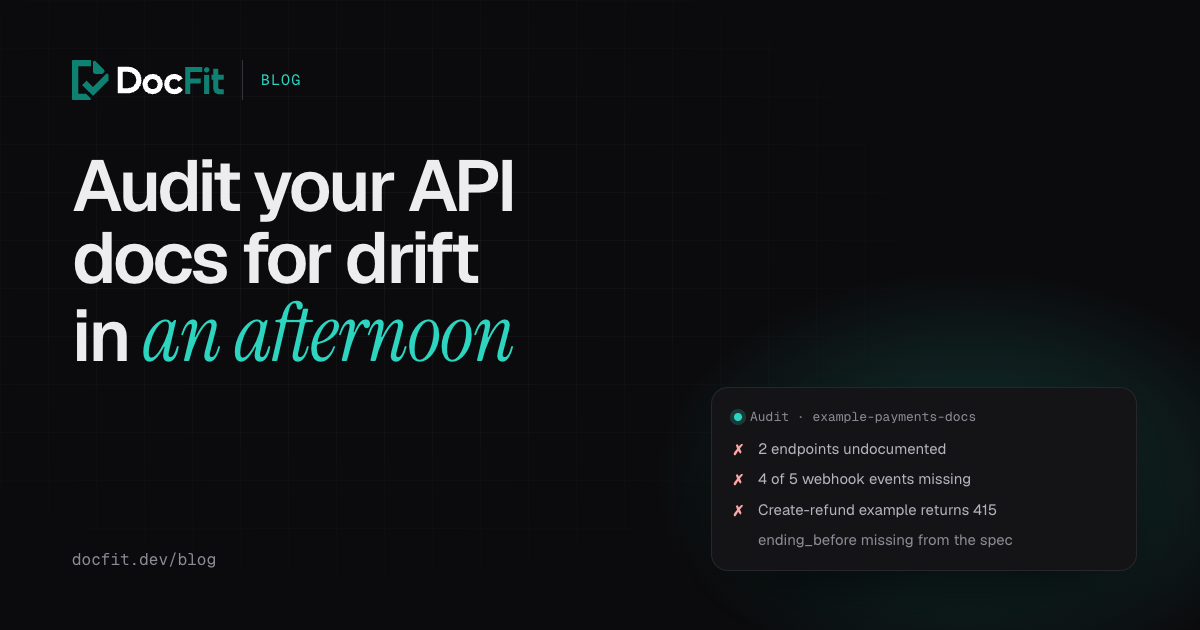
Two whole endpoints (getting a refund and cancelling one) have no docs at all. Neither does the expand parameter, the refund statuses, the failure reasons, or the shape of the list response.
Read the result one way round only. A missing name is a strong signal. A found name proves little: status passes here because the word appears in “returns the refund with status set to pending”, not because the status filter is documented. Treat the list as where to look, not as a score.
2. Every name in the docs, checked against the spec
Now the other direction: names the docs use in code formatting that the spec has never heard of. Save as audit-reverse.sh:
#!/usr/bin/env bash
# Usage: audit-reverse.sh spec.json docs-folder
# Lists every `code_name` in the docs that the spec never mentions.
spec="$1"; docs="$2"
grep -rhoE '`[a-z][a-z0-9_.]+`' "$docs" | tr -d '`' | sort -u | while read -r t; do
  grep -qF -- "\"$t\"" "$spec" || echo "$t"
done
$ ./audit-reverse.sh spec.json docs
ending_beforeOne hit, and it’s an interesting one. The docs explain ending_before, a cursor for paging backwards. The code supports it. The spec doesn’t list it. So the spec is behind the code, and anything generated from the spec (your API reference, SDKs, a mock server, the copy an AI agent reads) is missing it too.
A name that turns up here means one of two things: the spec is out of date, or the docs describe something that doesn’t exist. Either way, someone should check the code.
3. What the code does that neither says
Some things never make it into a spec: webhook events, headers, error codes, retry rules. Search the code for them directly. For webhook event types:
$ grep -rhoE 'type: "[a-z]+\.[a-z_]+"' src | cut -d'"' -f2 | sort -u \
    | while read -r e; do grep -rqF "$e" docs || echo "$e"; done
refund.cancelled
refund.failed
refund.succeeded
refund.updated
The code sends five event types; the docs describe one. Anyone building a webhook handler from the docs would never know the other four exist. Adapt the pattern to how your code names things: error code constants, header names, feature flags.
4. Run the examples
A code example that doesn’t run is worse than none: readers copy it, and so do AI coding agents. The quickest way to run examples without a real account is a mock server built from your spec. Prism is one:
npx --yes @stoplight/prism-cli@5 mock openapi/spec.yaml --port 4010Then run each example from the docs with the host swapped for the mock. The refunds page’s example, exactly as written:
$ curl -X POST http://127.0.0.1:4010/v2/refunds \
    -H "Authorization: Bearer $API_KEY" \
    -d '{"payment_id": "pay_123", "amount": 500}'
{"type":"https://stoplight.io/prism/errors#INVALID_CONTENT_TYPE","title":"Invalid content type","status":415,"detail":"Supported content types: application/json"}
The example sends JSON but never says so. Without a Content-Type header, curl -d sends the body as form data, and an API that only accepts JSON rejects it. Add -H "Content-Type: application/json" and the same request returns 201 Created.
A mock only checks requests against the spec, not your real business logic. It’s still the fastest way to find examples with the wrong path, a missing header, a misspelled field or a value outside its enum.
5. What changed in the spec recently
Steps 1 to 4 find gaps of any age. This one looks at what changed lately, which is where pages that were right last quarter went wrong. oasdiff can read both versions of the spec straight from git:
$ oasdiff changelog 135d3ae:openapi/spec.yaml HEAD:openapi/spec.yaml
2 changes: 1 error, 0 warning, 1 info
error	[request-parameter-max-decreased] at openapi/spec.yaml
	in API GET /v2/refunds
		for the `query` request parameter `limit`, the max was decreased from `100.00` to `50.00`

info	[new-optional-request-parameter] at openapi/spec.yaml
	in API GET /v2/refunds
		added the new optional `query` request parameter `reason`
To compare against a date instead of a commit, look the commit up first, and check what you got:
base=$(git rev-list -1 --before="90 days ago" HEAD)
git log -1 --oneline "$base"
oasdiff changelog "$base:openapi/spec.yaml" HEAD:openapi/spec.yaml
That git log line matters. If the date picks the latest commit, oasdiff compares the spec with itself and prints “No changes detected”, which reads as good news. We hit exactly that on the example repository.
For each change, open the docs page for that operation and check it says the same thing. Our post on the breaking changes nobody documents covers what to look for.
6. Merges with no docs change
Not every change touches the spec. List the code pull requests merged in the period, and the docs pull requests merged in the same period:
$ gh pr list -R Docfit/example-payments-api --state merged --search "merged:>=2026-07-01" \
    --json number,title,mergedAt --jq '.[] | "#\(.number)  \(.mergedAt[0:10])  \(.title)"'
#1  2026-10-13  KAN-4: Filter the refund list by reason
Put the two lists side by side. Any code PR that changed behaviour and has no matching docs change is a candidate for drift. Read its description: authors often write down exactly the detail the docs are missing (“a page now holds at most 50 refunds”).
7. Links
Build the docs site strictly and check its links. Our guide to docs-as-code CI has the commands for MkDocs, Docusaurus, VitePress and Mintlify (npx mint broken-links), and a lychee setup that checks every internal link and anchor. Run it once by hand for the audit, then put it in CI so you never have to again.
8. Triage
The audit on our example repository produced this:
| Finding | Kind | Fix first? |
|---|---|---|
| Create-refund example returns 415 | Broken example | Yes: people copy it |
| Get and cancel endpoints undocumented | Missing reference | Yes |
| Four of five webhook events undocumented | Missing reference | Yes |
ending_before missing from the spec |
Spec behind code | Yes: it affects everything generated from the spec |
| Statuses, failure reasons, list response fields | Missing reference | Next |
expand parameter |
Missing reference | Next |
A rough order that works for most teams:
- Broken examples. They fail loudly for the reader and quietly for you.
- The spec, where it’s behind the code. Generated reference pages, SDKs and AI agents all read it.
- Missing reference for anything a customer can call, receive or get back.
- Guides and prose, starting with the pages that get the most traffic.
Why our own example docs failed it
Here’s the reason promised at the start. Some of these pages were updated by DocFit: when the code change lowered the page-size limit and added the reason filter, DocFit opened a docs PR that documented both, and the audit confirms they’re there.
But DocFit updates the docs for what each merge changes. The cancel endpoint, the missing events and the broken example were already wrong before DocFit was installed, and no merge since has touched them. That’s what an audit is for: the backlog that built up before anyone was watching.
After the audit, the job is to stop the backlog from coming back:
- Put the mechanical checks in CI: the build, links, Vale, markdownlint and Spectral from our CI guide.
- Update the docs on every merge. That’s what DocFit does: it reads each merged pull request and its ticket, finds the pages the change affects, edits them and checks the result, and opens a docs PR for review. It can also run on past merged PRs by URL, a list or a date range, and at setup it dry-runs your last five merges for free, which is a quick version of steps 5 and 6.
- Scan for old drift. On the Growth plan, a nightly drift scan checks all your docs, so this afternoon doesn’t have to happen again.
See how DocFit works, or start free below and see what it finds in your last five merged pull requests.