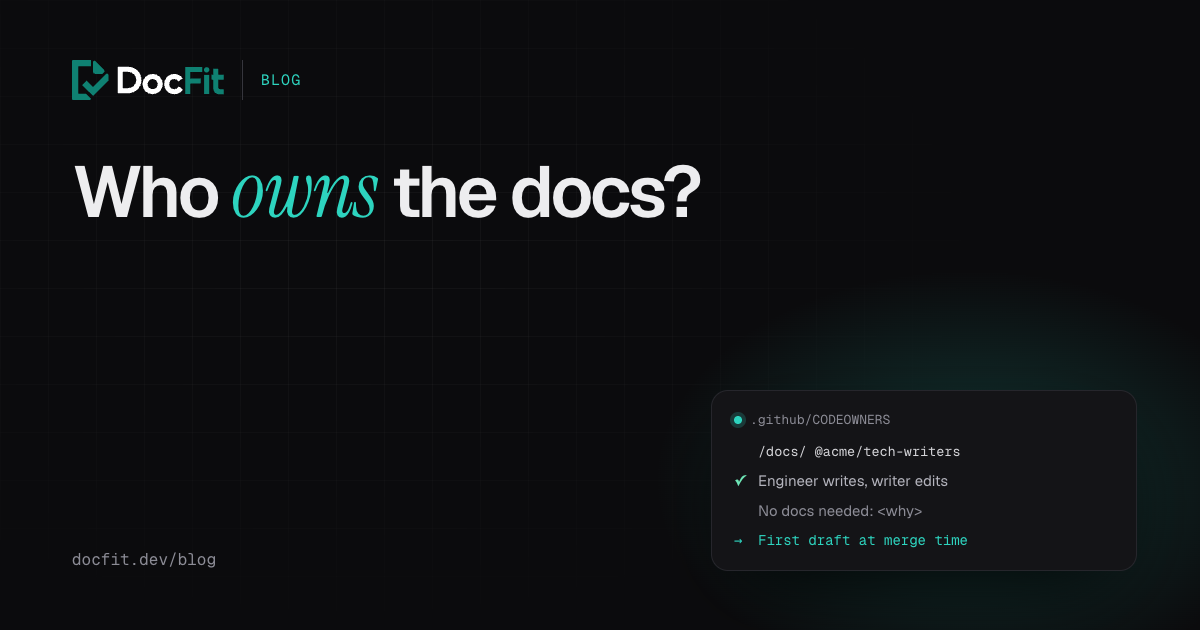
Ask a team who owns the docs and the usual answer is “everyone”. In practice that means whoever notices a page is wrong, usually a customer.
There are only a few ways to split docs work between the engineers who change the product and the technical writers (if you have any) who know how to explain it. Each one breaks somewhere predictable. This post goes through them, using teams that publish how they do it, and ends with the rules that make a split actually hold.
Split 1: writers own the docs
Engineers ship; writers find out and document it. Common at companies that hired writers early, and it produces the best-written docs, at first.
Where it breaks: the writer learns about the change after the fact, from a release note, a Slack message or a customer. They have to reverse-engineer the behaviour from the code or interrupt the engineer, who has moved on. Writers end up as a queue: the more the team ships, the further behind the docs fall. There are almost always far fewer writers than engineers, so this split gets worse as the team grows.
Split 2: engineers write, writers review
The engineer who made the change writes the first draft; a writer edits it. This is how GitLab works: “Developers are the primary authors of documentation for a feature,” docs are part of GitLab’s definition of done, and technical writers give non-blocking reviews “before or after the change is merged.” The writing team strongly encourages putting the docs in the same merge request as the code.
Kubernetes runs the same split across a much larger project. The group building a feature writes the draft; SIG Docs contributors “don’t write content from scratch for a release,” they refine what the feature’s authors send.
Where it breaks: the first draft. Engineers are good at saying what changed and bad at noticing what a reader needs. More often, under a deadline, they don’t write it at all. GitLab and Kubernetes both make that hard to get away with (more on how below), and most teams that copy the split skip that part.
Split 3: docs go in the same change as the code
A stricter version of split 2. Google’s documentation guide says it in one line: “Change your documentation in the same CL as the code change.” The reviewer sees both together, and the docs can’t fall behind because they merge at the same moment.
Where it breaks: when the docs live somewhere else. If your public docs are a separate repo, a hosted platform or a docs site another team runs, there is no “same change” to put them in. The rule quietly becomes “open a docs PR later”, which is split 1 again.
Split 4: a docs champion per team
One engineer on each team is responsible for that team’s docs. They write or chase the updates and know the writers by name.
Where it breaks: it depends on one person’s goodwill. Champions are usually volunteers, the work isn’t counted in their review, and when they change teams or burn out, nobody notices until the docs are visibly stale.
The splits side by side
| Split | Who writes the first draft | When it’s written | Typical failure |
|---|---|---|---|
| Writers own | Writer | After release | Writers become a queue; docs trail the product |
| Engineers write, writers review | Engineer | Before or at merge | The draft is skipped under deadline |
| Same change | Engineer | In the code change | Impossible when docs live in another repo |
| Docs champion | One engineer per team | Whenever they get to it | Depends on one person |
The splits that work share three things: the first draft is written by someone who knows what changed, at the time it changed, and something stops the change from going out without it.
Make the split enforceable
GitLab and Kubernetes don’t rely on goodwill. At Kubernetes, a feature that needs docs and has no draft by the deadline “may be removed from the milestone.” Most teams can’t hold releases like that, but three cheap rules get most of the way.
Route docs changes to their owners
A CODEOWNERS file makes GitHub request a review automatically from the owners of the files a pull request touches. With “Require review from Code Owners” turned on in branch protection, their approval is required to merge:
# .github/CODEOWNERS (the last matching pattern wins)
/docs/                @acme/tech-writers
/docs/api/refunds/    @acme/tech-writers @acme/payments
/openapi/             @acme/payments @acme/tech-writers
Writers see every docs change without anyone remembering to tag them, and the team that owns the feature reviews its own pages for accuracy. Owning teams need write access to the repo, or GitHub ignores the line.
Ask in the pull request template
A line in .github/pull_request_template.md that every author has to deal with:
## Docs
- [ ] Updated the docs for this change
- [ ] No docs needed (say why below)
Checkboxes are easy to tick without thinking, so pair the template with a check.
Fail the PR when code changes and docs don’t
This script fails a pull request that changes src/ without touching docs/, unless the description says why:
# Fails a pull request that changes code under src/ without touching docs/, unless the body explains why.
changed=$(git diff --name-only "origin/$BASE_REF...HEAD")
if echo "$changed" | grep -q '^src/' && ! echo "$changed" | grep -q '^docs/'; then
  if ! printf '%s' "$PR_BODY" | grep -qiE '^No docs needed: .{10,}'; then
    echo "This PR changes src/ but not docs/. Update the docs, or add a line to the PR description:"
    echo "No docs needed: <why>"
    exit 1
  fi
fi
Run it on every pull request, including when the description is edited:
name: Docs or a reason
on:
  pull_request:
    types: [opened, edited, synchronize, reopened]

jobs:
  docs:
    runs-on: ubuntu-latest
    steps:
      - uses: actions/checkout@v5
        with:
          fetch-depth: 0
      - run: bash scripts/docs-or-reason.sh
        env:
          BASE_REF: ${{ github.base_ref }}
          PR_BODY: ${{ github.event.pull_request.body }}
We tested the script on a sample repo: a code-only change with an empty description fails; “No docs needed: internal refactor, no behaviour change” passes; “No docs needed: n/a” fails, because the reason has to be at least ten characters; code plus docs passes; docs alone passes. It also handles descriptions with Windows-style (CRLF) line endings.
The ten-character rule is the important part. Making people write a reason turns “skip” into a decision someone can see in review, and reviewers can push back on a bad one.
The step none of this does
These rules decide who reviews docs and stop changes from slipping past. None of them write the first draft, and that’s still the step every split depends on. It has to happen right after the change, when the context is freshest and the author has the least time.
The check above also stops working when the docs live in another repo, which is common for public API docs. A code PR in one repo can’t contain the docs change in another.
That’s the step DocFit takes over. When a pull request merges, DocFit reads the change and the linked ticket, works out which docs pages it affects, and opens a docs pull request in your docs repo, in your framework, with the edits already checked. Your CODEOWNERS file requests reviews from the writers and the feature’s team as usual. The engineer confirms the facts, the writer edits the wording, and neither starts from a blank page. It’s the GitLab and Kubernetes split, without depending on the engineer finding time for the draft.
See how DocFit works, or start free below and see what your last few merged pull requests should have changed in your docs.