Coding agents now read a large share of docs pages. We covered why that matters in Your API docs are now read by AI agents. This post is the practical half: what to publish so agents get a clean version of your docs, and how to turn it on for the platforms most API teams use.
The short version: give every page a Markdown copy, add an llms.txt index, and check both the way an agent would fetch them.
Why HTML is the wrong format for an agent
A docs page in a browser is mostly not the docs. It’s navigation, scripts, styles and markup around a few paragraphs and a code block. An agent pays for all of it in tokens, and has to dig the content out.
We fetched two real pages both ways in October 2026, once as a browser does and once asking for Markdown:
| Page | HTML | Markdown |
|---|---|---|
| Mintlify docs, “llms.txt” page | 287 KB | 10.7 KB |
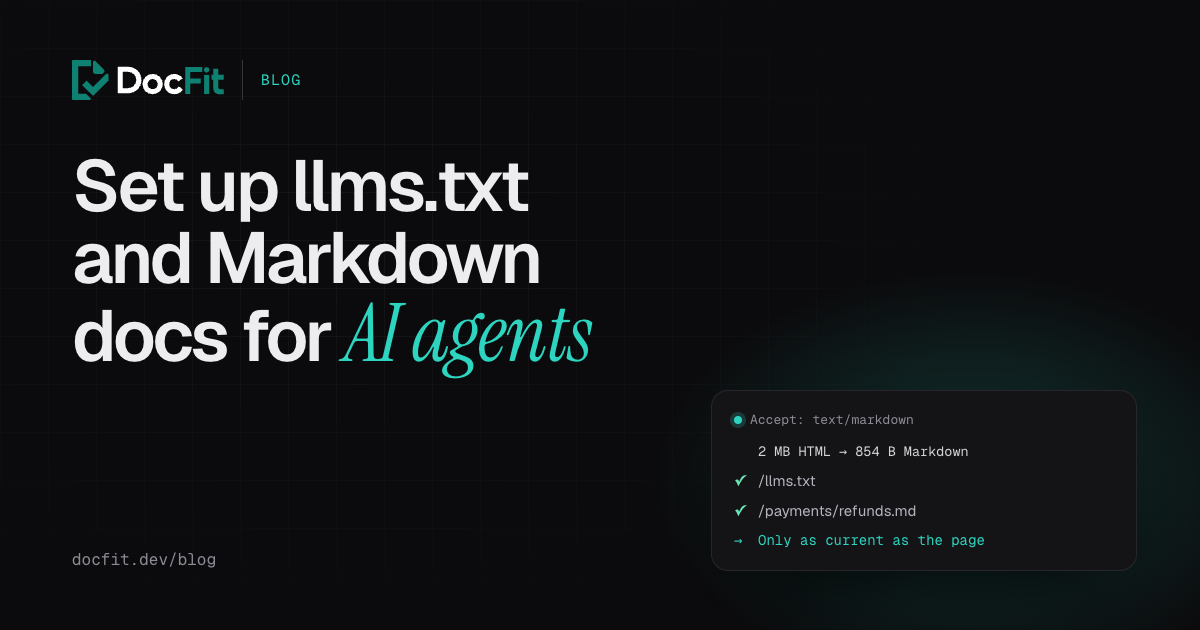
| Stripe docs, “Accept a payment” | 2 MB | 854 bytes |
Same page, a fraction of the size, and nothing to strip. That’s why Claude Code’s web fetch tool asks for Markdown first, and why Cloudflare built a feature that converts pages to Markdown at the edge when an agent asks for it.
What to publish
In order of how much it helps:
- A Markdown copy of every page, at a predictable URL. The convention is the page’s URL with
.mdadded:/payments/refundsbecomes/payments/refunds.md. - An
llms.txtfile at the root of your docs: a short Markdown index of your most useful pages, each linking to its Markdown copy. The format comes from llmstxt.org, proposed in 2024. - Optionally,
llms-full.txt: every page in one file. Useful for small docs sets; for large ones it won’t fit in a context window, which is why Fern deliberately doesn’t generate one.
Be realistic about llms.txt. Google Search says it ignores the file, and an Ahrefs study found that 97% of published llms.txt files got no requests at all in a month. It’s cheap to add and coding agents do fetch it, but the Markdown copies are what agents use most. Do those first.
Hosted docs platforms: mostly already done
If your docs are on a hosted platform, most of this is on by default. Check what yours generates:
| Platform | What it serves |
|---|---|
| Mintlify | llms.txt, llms-full.txt, a .md copy of every page (also returned for Accept: text/markdown), and an MCP server for your docs |
| GitBook | llms.txt, llms-full.txt and .md pages on every published site, plus an MCP server |
| ReadMe | llms.txt on all projects by default, and an MCP server (some tools need an add-on) |
| Fern | llms.txt and .md pages; no llms-full.txt, by design |
| Redocly | llms.txt linking to Markdown copies of each page |
Your job there is mostly content: deciding which pages belong in the index and keeping them right, which we’ll come back to.
Docusaurus
Docusaurus has no built-in llms.txt, but the community plugin docusaurus-plugin-llms does the job. We tested version 0.6.1 on Docusaurus 3.10.
npm install docusaurus-plugin-llms --save-devIn docusaurus.config.js:
plugins: [
  [
    'docusaurus-plugin-llms',
    {
      title: 'Payments API',
      description: 'Charge customers and refund them. Every request needs an API key.',
      generateMarkdownFiles: true,
      excludeImports: true,
      removeDuplicateHeadings: true,
    },
  ],
],
generateMarkdownFiles is off by default; turn it on, or llms.txt links to your HTML pages instead of Markdown copies. excludeImports strips the import lines MDX pages often start with. After npm run build, the build output has:
build/llms.txt
build/llms-full.txt
build/payments/refunds.md
build/webhooks/events.md
and llms.txt reads:
# Payments API

> Charge customers and refund them. Every request needs an API key.

This file contains links to documentation sections following the llmstxt.org standard.

## Table of Contents

- [Payments API](https://docs.example.com/docs.md): The Payments API lets you charge customers and refund them.
- [Refunds](https://docs.example.com/payments/refunds.md): Create and track refunds.
- [Events](https://docs.example.com/webhooks/events.md): Webhook payloads.
The line after each link is the page’s frontmatter description, so give every page a useful one. In our test, the refunds page’s Markdown copy was 1.8 KB, against 15 KB for its HTML.
Check the links it writes: our docs homepage (served at the site root) came out as /docs.md.
MkDocs
For MkDocs, the plugin is mkdocs-llmstxt. Note that its author has put it in maintenance mode. We tested version 0.5.1 with MkDocs 1.6.1.
pip install mkdocs-llmstxtIn mkdocs.yml:
site_url: https://docs.example.com/  # required by the plugin

plugins:
  - llmstxt:
      markdown_description: Reference for the Payments API. Every request needs an API key.
      full_output: llms-full.txt
      sections:
        API reference:
          - payments/*.md: Create, list and cancel refunds
        Webhooks:
          - webhooks/*.md
Only the pages you list under sections get into llms.txt and get Markdown copies, which makes this plugin a good way to curate. The output:
# Payments API

> Charge customers and refund them.

Reference for the Payments API. Every request needs an API key.

## API reference

- [Refunds](https://docs.example.com/payments/refunds/index.md): Create, list and cancel refunds

## Webhooks

- [Webhook events](https://docs.example.com/webhooks/events/index.md)
With MkDocs’ default directory URLs, the Markdown copy lives at /payments/refunds/index.md rather than /payments/refunds.md. Either works, as long as llms.txt points to the right place, which it does. Here the Markdown copy was 2.9 KB, against 9.4 KB for the HTML.
Point agents to the Markdown
An agent that lands on an HTML page doesn’t know a Markdown copy exists unless you tell it. Two ways:
-
A link tag in each page’s
<head>, which the llmstxt.org proposal recommends:<link rel="alternate" type="text/markdown" href="/payments/refunds.md" /> -
Content negotiation: return the Markdown when a request sends
Accept: text/markdown. Mintlify does this. Static hosts usually can’t on their own; an edge rule or Cloudflare’s conversion feature can.
Mintlify adds a third trick worth copying: its Markdown pages open with a note telling agents where to find llms.txt, so an agent that arrives on any page can find the rest.
Check it the way an agent does
Fetch a page asking for Markdown, and look at the content type and size:
$ curl -sL -o /dev/null -w "%{http_code} %{content_type} %{size_download}B\n" \
    -H "Accept: text/markdown" https://docs.stripe.com/payments/accept-a-payment
200 text/markdown; charset=utf-8 854B
If you get text/html and a big number, agents asking for Markdown are getting your HTML. Then check that every link in llms.txt resolves:
$ curl -s https://docs.stripe.com/llms.txt | grep -oE '\]\(https?://[^)]+\)' | tr -d '()]' \
    | xargs -n1 curl -s -o /dev/null -w "%{http_code} %{url_effective}\n"
200 https://docs.stripe.com/sandboxes.md
200 https://docs.stripe.com/testing-use-cases.md#compare
200 https://docs.stripe.com/testing.md
…
Anything that isn’t a 200 is a page your index promises and doesn’t deliver. Put both checks in CI next to the ones from our docs-as-code CI guide.
What goes in llms.txt
The file is an index, so the choice of pages matters more than the format:
- Lead with the pages an integration needs: authentication, the core resources, errors, webhooks, pagination.
- Leave out deprecated pages, or an agent will happily build on them. Cloudflare’s docs style guide says to keep them out of agents’ way.
- Write one honest line per link. “Create, list and cancel refunds” helps an agent pick the right page; “Refunds” doesn’t.
- Say what agents get wrong. Stripe’s
llms.txttells agents to check the package registry for the latest SDK version instead of trusting what they remember. If there’s a mistake agents keep making with your API, say so at the top.
Every copy is only as current as the page
All of this is generated from your docs pages at build time. The Markdown copy, the llms.txt line, the llms-full.txt section and your docs MCP server all say exactly what the page says. When the page describes last month’s API, so does every copy, and agents now read the copies more than people read the page.
That’s the part DocFit handles. When a code pull request merges, DocFit updates the docs pages it affects, in your framework, checks that the docs still build, and opens a docs pull request for review. Merge it, and on your next docs deploy every copy above is regenerated from the corrected page.
See how DocFit works, or start free below and see what your last few merged pull requests should have changed in your docs.